Showing posts with label c2. Show all posts
Showing posts with label c2. Show all posts
Sunday, October 30, 2016
Nokia C2 06 Mic Problem Solution Jumper Ways Microphone
Nokia C2 06 Mic Problem Solution Jumper Ways Microphone
Nokia C2-06 Mic not working, Microphone is not working in Nokia C2-06, Voice is missing and can not reach to destination Mobile Phone, Mic problem, Microphone Solution in Nokia C2-06
nokia 100 sim ways 100% tested solution

Tools:-
Nokia T5 and T4 for disassemble.
Universal Microphone.
Electronics Cleaner.
Hot Air.
Electronics Meter.
Solding iron.
Diagnostics & Solutions:-
Before Disassemble of Nokia C2-06 make sure that mic whole in Cassing ( housing ) is opened. And here is not any dust in it. Disassemble the mobile phone and remove mic microphone from mother board with solding iron.
Check points on mother board with miter and if any value is missing check all these parts that are given in red and blue color in above diagram.If any of them is missing apply jumpers as described in above repairing picture.
Replace new mic and apply jumpers to its negative and positive points. On the mother board Red color line shows ground print and Blue line indicates positive print of mic. So this will help you to solve mic problem in nokia C2-06
Warnings:-
Apply solder on mic and Remove mic when it too hot so that mic print remain OK.
Don’t apply much heat with hot air it can damage the mother board.
Assemble with focus because if mic is not in its proper place voice will not reach to destination mobile. Or you will not be able to record voice in it.
for more detail and new tips and tricks about cellphone service problem keep visiting this page we will update cellphone service diagrams timely with new cellphone diagrams.some related post are also given bellow you can read them also for more information about cellphone.
nokia 100 sim ways 100% tested solution
Tools:-
Nokia T5 and T4 for disassemble.
Universal Microphone.
Electronics Cleaner.
Hot Air.
Electronics Meter.
Solding iron.
Diagnostics & Solutions:-
Before Disassemble of Nokia C2-06 make sure that mic whole in Cassing ( housing ) is opened. And here is not any dust in it. Disassemble the mobile phone and remove mic microphone from mother board with solding iron.
Check points on mother board with miter and if any value is missing check all these parts that are given in red and blue color in above diagram.If any of them is missing apply jumpers as described in above repairing picture.
Replace new mic and apply jumpers to its negative and positive points. On the mother board Red color line shows ground print and Blue line indicates positive print of mic. So this will help you to solve mic problem in nokia C2-06
Warnings:-
Apply solder on mic and Remove mic when it too hot so that mic print remain OK.
Don’t apply much heat with hot air it can damage the mother board.
Assemble with focus because if mic is not in its proper place voice will not reach to destination mobile. Or you will not be able to record voice in it.
for more detail and new tips and tricks about cellphone service problem keep visiting this page we will update cellphone service diagrams timely with new cellphone diagrams.some related post are also given bellow you can read them also for more information about cellphone.
Available link for download

Friday, October 28, 2016
Nokia C2 00 Lcd Ways Lcd Light Solution
Nokia C2 00 Lcd Ways Lcd Light Solution
Lcd Ways

Light Ways

Available link for download
Thursday, October 27, 2016
Nokia C2 01 Rm 721 Latest Firmware Flash File V11 81 Free Download
Nokia C2 01 Rm 721 Latest Firmware Flash File V11 81 Free Download
Nokia C2-01 firmware flash file latest version V11.81 free download. Latest firmware released for Nokia C2-01 and avail to direct download from Here AllMobileTools.net. If you want to install or update your Nokia c2-01 phone firmware, then you are coming in the right place. Here you can download latest updated flash file for Nokia c2-01 and install it on your phone using a flashing box like UFS HWK Box, Volcano Box, Infinity Box, Jaf Box, Miracle Box. You can also flash your Nokia phone using Phoenix Service Software. There are three main flash files to flash any Nokia cell phone. First is MCU, Second is PPM and third is CNT. You must need to download these three files. Download links for NOkia c2-01 firmware flash files is given below.
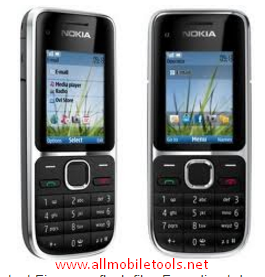
Download Nokia C2-01 Flash File
Note: Before starting flashing your Nokia cell phone dont forgot to get backup of your important data because after flashing your phone your all important data will deleted and you cant get it again.
Available link for download
Monday, October 24, 2016
Nokia C2 08 Not Charging Problem jumpers Ways Solutions
Nokia C2 08 Not Charging Problem jumpers Ways Solutions
1-Nokia C2-08 not charging problem.
2-Nokia C2-08 Do not show charging.
Tools:-
1-Hot Air is required.
2-Solding iron is required.
3-Skrue driver keys.
4-Electronics cleaner.
5-charging base if old one is damage.
6-old board of Nokia C2-08 if a few parts are damage in this board.So that they can be replaced.
7- Charger to diagnostic it.
Nokia C2-02 Ringer Problem Solution Jumper Ways

Solution:-
1-Plugin charging pin in charging jack and check.
2-if charging symbol is not appearing in display it can be fault of missing track pr charging jack.
3-change battery and check again.
4-if Not charging symbol appear on display it can be fault of r22 or 24k resistance.
5-Disassamble Nokia C2-08 and look at whole mother board carefully for rust or carbon.
6-Clean carbon area and the area shown in above diagram with electronics cleaner.
7-Apply heat with hot air so that it can be totally dry.
8-Do not apply to much heat it can be harm for your skin and mobile as well.
9-chek all these tracks as shown in the above diagram and if any path is missing apply jumpers.
10-if parts are missing or damage replace them.
Warnings:
Do not apply much heat it can be harm for your skin and mobile phone.
Try that board get fully dry.
At time of assembling keep in mind about fitting. If fitting is not proper charging jack will not attach and it will not show charging and will not start charging.
for more detail and new tips and tricks about cellphone service problem keep visiting this page we will update cellphone service diagrams timely with new cellphone diagrams.some related post are also given bellow you can read them also for more information about cellphone.
2-Nokia C2-08 Do not show charging.
Tools:-
1-Hot Air is required.
2-Solding iron is required.
3-Skrue driver keys.
4-Electronics cleaner.
5-charging base if old one is damage.
6-old board of Nokia C2-08 if a few parts are damage in this board.So that they can be replaced.
7- Charger to diagnostic it.
Nokia C2-02 Ringer Problem Solution Jumper Ways
Solution:-
1-Plugin charging pin in charging jack and check.
2-if charging symbol is not appearing in display it can be fault of missing track pr charging jack.
3-change battery and check again.
4-if Not charging symbol appear on display it can be fault of r22 or 24k resistance.
5-Disassamble Nokia C2-08 and look at whole mother board carefully for rust or carbon.
6-Clean carbon area and the area shown in above diagram with electronics cleaner.
7-Apply heat with hot air so that it can be totally dry.
8-Do not apply to much heat it can be harm for your skin and mobile as well.
9-chek all these tracks as shown in the above diagram and if any path is missing apply jumpers.
10-if parts are missing or damage replace them.
Warnings:
Do not apply much heat it can be harm for your skin and mobile phone.
Try that board get fully dry.
At time of assembling keep in mind about fitting. If fitting is not proper charging jack will not attach and it will not show charging and will not start charging.
for more detail and new tips and tricks about cellphone service problem keep visiting this page we will update cellphone service diagrams timely with new cellphone diagrams.some related post are also given bellow you can read them also for more information about cellphone.
Available link for download
Saturday, October 22, 2016
Nokia C2 02 Mic Problem Solution Jumper Ways Microphone
Nokia C2 02 Mic Problem Solution Jumper Ways Microphone
Nokia C2-02 Mic not working, Microphone is not working in Nokia C2-02, Voice is missing and can not reach to destination Mobile Phone, Mic problem, Microphone Solution in Nokia C2-02
Nokia X2 Ringer Problem Jumper Ways Solutions

Tools:-
Nokia T5 and T4 for disassemble.
Universal Microphone.
Electronics Cleaner.
Hot Air.
Electronics Meter.
Solding iron.
Diagnostics & Solutions:-
Before Disassemble of Nokia C2-02 make sure that mic whole in Cassing ( housing ) is opened. And here is not any dust in it. Disassemble the mobile phone and remove mic microphone from mother board with solding iron.
Check points on mother board with miter and if any value is missing check all these parts that are given in red and blue color in above diagram.If any of them is missing apply jumpers as described in above repairing picture.
Replace new mic and apply jumpers to its negative and positive points. On the mother board Red color line shows ground print and Blue line indicates positive print of mic. So this will help you to solve mic problem in nokia C2-02
Warnings:-
Apply solder on mic and Remove mic when it too hot so that mic print remain OK.
Don’t apply much heat with hot air it can damage the mother board.
Assemble with focus because if mic is not in its proper place voice will not reach to destination mobile. Or you will not be able to record voice in it.
for more detail and new tips and tricks about cellphone service problem keep visiting this page we will update cellphone service diagrams timely with new cellphone diagrams.some related post are also given bellow you can read them also for more information about cellphone.
Nokia X2 Ringer Problem Jumper Ways Solutions
Tools:-
Nokia T5 and T4 for disassemble.
Universal Microphone.
Electronics Cleaner.
Hot Air.
Electronics Meter.
Solding iron.
Diagnostics & Solutions:-
Before Disassemble of Nokia C2-02 make sure that mic whole in Cassing ( housing ) is opened. And here is not any dust in it. Disassemble the mobile phone and remove mic microphone from mother board with solding iron.
Check points on mother board with miter and if any value is missing check all these parts that are given in red and blue color in above diagram.If any of them is missing apply jumpers as described in above repairing picture.
Replace new mic and apply jumpers to its negative and positive points. On the mother board Red color line shows ground print and Blue line indicates positive print of mic. So this will help you to solve mic problem in nokia C2-02
Warnings:-
Apply solder on mic and Remove mic when it too hot so that mic print remain OK.
Don’t apply much heat with hot air it can damage the mother board.
Assemble with focus because if mic is not in its proper place voice will not reach to destination mobile. Or you will not be able to record voice in it.
for more detail and new tips and tricks about cellphone service problem keep visiting this page we will update cellphone service diagrams timely with new cellphone diagrams.some related post are also given bellow you can read them also for more information about cellphone.
Available link for download
Friday, October 21, 2016
Nokia C2 05 RM 724 Latest Flash File Download
Nokia C2 05 RM 724 Latest Flash File Download
Nokia C2-05 Latest Flash File
Download Nokia c2-05 flash file latest firmware.Latest version for Nokia availble in this post. nokia DCT4,BB5, Model.this file contains any language files select desire language your own choice to flash the mobile.All the flash files of this model are of small size files. so it can be download very easily with in a few minutes. you can flash any Nokia mobile phone with UFS Micro (HWK,MXKEY,CYCLONE,BEST DONAGL JAF,ATF,Infinify, or Universal box.there are also many other flasher boxes avaiable for flashing this nokia basic phone.cellphone you can also flash or update any Nokia handset with Nokia phoenix service software.
Nokia C2-05 Latest Flash File,
nokia c2-05 latest flash file download,
nokia c2-05 free flash file download,
nokia c2-05 latest flash file free download,
nokia c2-05 flash file download,
nokia c2 05 rm 724 latest flash file free download,
nokia c2-05 rm-724 flash file download
 |
| Nokia C2-05 Latest Flash File download |


Available link for download
Wednesday, October 19, 2016
Nokia C2 00 Display Light Not working jumper Ways
Nokia C2 00 Display Light Not working jumper Ways
Nokia C2-00 Display Light ,c2-00 display,c2-00 display problem,c2-00 display light solution,c2-00 display light jumper,c2-00 display solution,c2-00 display light,c2-00 display light ways,c2-00 display graphic solution,c2-00 display light jumper solution,c2-00 display light not working,c2-00 display light solution without ic,c2-00 display light jumper solution,c2-00 display light problem solution,c2-00 display light jumper,c2-00 lcd light ,c2-00 lcd light jumper,nokia c2-00 lcd light solution,c2-00 lcd solution,c2-00 lcd light problem,c2-00 lcd light ic jumper ,c2-00 lcd light without ic,c2-00 lcd light solution jumper,c2-00 lcd light problem solution,


Available link for download
Nokia C2 01 Bluetooth ic Problem
Nokia C2 01 Bluetooth ic Problem
Nokia 101 Lcd Light Solution

Nokia C2-01 Bluetooth ic
Available link for download
Monday, October 17, 2016
Nokia c2 03 RM 702 Latest Flash File Download
Nokia c2 03 RM 702 Latest Flash File Download
Nokia c2-03 Latest Flash File Download
Download Nokia c2-03 flash file latest firmware.Latest version for Nokia availble in this post. nokia DCT4,BB5, Model.this file contains any language files select desire language your own choice to flash the mobile.All the flash files of this model are of small size files. so it can be download very easily with in a few minutes. you can flash any Nokia mobile phone with UFS Micro (HWK,MXKEY,CYCLONE,BEST DONAGL JAF,ATF,Infinify, or Universal box.there are also many other flasher boxes avaiable for flashing this nokia basic phone.cellphone you can also flash or update any Nokia handset with Nokia phoenix service software.
Nokia c2-03 Flash File Download,
nokia c2-03 latest flash file download,
nokia c2-03 latest flash file free download,
nokia c2-03 latest flash file 9.98 free download,
nokia c2 03 rm 702 latest flash file download,
nokia c2 03 flash file download,
nokia c2_03 rm 702 free flash file download,
nokia c2 03 flash file free download,
nokia c2-03 flash file latest 7.98 download,
nokia c2 03 rm 702 latest flash file free download,
nokia c2-03 bangla flash file download


Available link for download
Saturday, October 15, 2016
Nokia C2 08 Mic Problem Solution Jumper Ways Microphone
Nokia C2 08 Mic Problem Solution Jumper Ways Microphone
Nokia C2-08 Mic not working, Microphone is not working in Nokia C2-08, Voice is missing and can not reach to destination Mobile Phone, Mic problem, Microphone Solution in Nokia C2-08
iPhone Charging Base Problem Solution

Tools:-
Nokia T5 and T4 for disassemble.
Universal Microphone.
Electronics Cleaner.
Hot Air.
Electronics Meter.
Solding iron.
Diagnostics & Solutions:-
Before Disassemble of Nokia C2-08 make sure that mic whole in Cassing ( housing ) is opened. And here is not any dust in it. Disassemble the mobile phone and remove mic microphone from mother board with solding iron.
Check points on mother board with miter and if any value is missing check all these parts that are given in red and blue color in above diagram.If any of them is missing apply jumpers as described in above repairing picture.
Replace new mic and apply jumpers to its negative and positive points. On the mother board Red color line shows ground print and Blue line indicates positive print of mic. So this will help you to solve mic problem in nokia C2-08
Warnings:-
Apply solder on mic and Remove mic when it too hot so that mic print remain OK.
Don’t apply much heat with hot air it can damage the mother board.
Assemble with focus because if mic is not in its proper place voice will not reach to destination mobile. Or you will not be able to record voice in it.
for more detail and new tips and tricks about cellphone service problem keep visiting this page we will update cellphone service diagrams timely with new cellphone diagrams.some related post are also given bellow you can read them also for more information about cellphone.
iPhone Charging Base Problem Solution
Tools:-
Nokia T5 and T4 for disassemble.
Universal Microphone.
Electronics Cleaner.
Hot Air.
Electronics Meter.
Solding iron.
Diagnostics & Solutions:-
Before Disassemble of Nokia C2-08 make sure that mic whole in Cassing ( housing ) is opened. And here is not any dust in it. Disassemble the mobile phone and remove mic microphone from mother board with solding iron.
Check points on mother board with miter and if any value is missing check all these parts that are given in red and blue color in above diagram.If any of them is missing apply jumpers as described in above repairing picture.
Replace new mic and apply jumpers to its negative and positive points. On the mother board Red color line shows ground print and Blue line indicates positive print of mic. So this will help you to solve mic problem in nokia C2-08
Warnings:-
Apply solder on mic and Remove mic when it too hot so that mic print remain OK.
Don’t apply much heat with hot air it can damage the mother board.
Assemble with focus because if mic is not in its proper place voice will not reach to destination mobile. Or you will not be able to record voice in it.
for more detail and new tips and tricks about cellphone service problem keep visiting this page we will update cellphone service diagrams timely with new cellphone diagrams.some related post are also given bellow you can read them also for more information about cellphone.
Available link for download
Nokia C2 02 Voluem Up Down Keys Not Working Problem Solution Jumpers
Nokia C2 02 Voluem Up Down Keys Not Working Problem Solution Jumpers
1-Nokia C2-02 Volume Up Key is Not Working.
2-Nokia C2-02 Volume Down Key is Not Working.
Tools:-
1-Hot Air is required.
2-Solding iron is required.
3-Skrue driver keys.
4-Electronics cleaner.
5-Four leg On of Switch ( Volume Key Switch ).
6-old board of Nokia C2-02 if a few parts are damage in this board.So that they can be replaced.
nokia 100 not charging problem solution

Solution:-
If Volume Up or Down key is not working in Nokia C2-02 then it can be the cause of Volume Switch or Resistance near by it.
So disassemble mobile phone and check whole mother board.
If there is some rust or carbon clean it with electronics cleaner and apply some heat so that it can be dry.
Check these tracks as shown in red and green lines in above diagram.
If some prints are missing or a few parts are damage apply jumpers or replace damaged parts.
If Volume Switch is damage or broken then replace it with new one.
Warnings:
Do not apply much heat it can be harm for your skin and mobile phone.
Try that board get fully dry.
When you are removing old volume switch make sure you will not damage prints from mother board so remove it when solding iron is too much hot.Or remove it with hot air.
2-Nokia C2-02 Volume Down Key is Not Working.
Tools:-
1-Hot Air is required.
2-Solding iron is required.
3-Skrue driver keys.
4-Electronics cleaner.
5-Four leg On of Switch ( Volume Key Switch ).
6-old board of Nokia C2-02 if a few parts are damage in this board.So that they can be replaced.
nokia 100 not charging problem solution
Solution:-
If Volume Up or Down key is not working in Nokia C2-02 then it can be the cause of Volume Switch or Resistance near by it.
So disassemble mobile phone and check whole mother board.
If there is some rust or carbon clean it with electronics cleaner and apply some heat so that it can be dry.
Check these tracks as shown in red and green lines in above diagram.
If some prints are missing or a few parts are damage apply jumpers or replace damaged parts.
If Volume Switch is damage or broken then replace it with new one.
Warnings:
Do not apply much heat it can be harm for your skin and mobile phone.
Try that board get fully dry.
When you are removing old volume switch make sure you will not damage prints from mother board so remove it when solding iron is too much hot.Or remove it with hot air.
Available link for download
Monday, October 10, 2016
Nokia C2 07 Voluem Up Down Keys Not Working Problem Solution Jumpers
Nokia C2 07 Voluem Up Down Keys Not Working Problem Solution Jumpers
1-Nokia C2-07 Volume Up Key is Not Working.
2-Nokia C2-07 Volume Down Key is Not Working.
Tools:-
1-Hot Air is required.
2-Solding iron is required.
3-Skrue driver keys.
4-Electronics cleaner.
5-Four leg On of Switch ( Volume Key Switch ).
6-old board of Nokia C2-07 if a few parts are damage in this board.So that they can be replaced.
Nokia C2-07 Ringer Problem Solution Jumper Ways

Solution:-
If Volume Up or Down key is not working in Nokia C2-07 then it can be the cause of Volume Switch or Resistance near by it.
So disassemble mobile phone and check whole mother board.
If there is some rust or carbon clean it with electronics cleaner and apply some heat so that it can be dry.
Check these tracks as shown in red and green lines in above diagram.
If some prints are missing or a few parts are damage apply jumpers or replace damaged parts.
If Volume Switch is damage or broken then replace it with new one.
Warnings:
Do not apply much heat it can be harm for your skin and mobile phone.
Try that board get fully dry.
When you are removing old volume switch make sure you will not damage prints from mother board so remove it when solding iron is too much hot.Or remove it with hot air.
2-Nokia C2-07 Volume Down Key is Not Working.
Tools:-
1-Hot Air is required.
2-Solding iron is required.
3-Skrue driver keys.
4-Electronics cleaner.
5-Four leg On of Switch ( Volume Key Switch ).
6-old board of Nokia C2-07 if a few parts are damage in this board.So that they can be replaced.
Nokia C2-07 Ringer Problem Solution Jumper Ways
Solution:-
If Volume Up or Down key is not working in Nokia C2-07 then it can be the cause of Volume Switch or Resistance near by it.
So disassemble mobile phone and check whole mother board.
If there is some rust or carbon clean it with electronics cleaner and apply some heat so that it can be dry.
Check these tracks as shown in red and green lines in above diagram.
If some prints are missing or a few parts are damage apply jumpers or replace damaged parts.
If Volume Switch is damage or broken then replace it with new one.
Warnings:
Do not apply much heat it can be harm for your skin and mobile phone.
Try that board get fully dry.
When you are removing old volume switch make sure you will not damage prints from mother board so remove it when solding iron is too much hot.Or remove it with hot air.
Available link for download
Sunday, October 9, 2016
Nokia C2 01 Charging Not Supported Hardware Solution
Nokia C2 01 Charging Not Supported Hardware Solution
Nokia C2-01 Charging Problem Solution
Nokia C2-01 Charging Not Supported
.jpg)
Nokia C2-01 Charging Problem Solution
Nokia C2-01 Charging Not Supported
Available link for download
Thursday, October 6, 2016
Nokia C2 02 Not Charging Problem jumpers Ways Solutions
Nokia C2 02 Not Charging Problem jumpers Ways Solutions
1-Nokia C2-02 not charging problem.
2-Nokia C2-02 Do not show charging.
Tools:-
1-Hot Air is required.
2-Solding iron is required.
3-Skrue driver keys.
4-Electronics cleaner.
5-charging base if old one is damage.
6-old board of Nokia C2-02 if a few parts are damage in this board.So that they can be replaced.
7- Charger to diagnostic it.
Nokia C2-08 MMC Memory Card Problem Solution Ways

Solution:-
1-Plugin charging pin in charging jack and check.
2-if charging symbol is not appearing in display it can be fault of missing track pr charging jack.
3-change battery and check again.
4-if Not charging symbol appear on display it can be fault of r22 or 24k resistance.
5-Disassamble Nokia C2-02 and look at whole mother board carefully for rust or carbon.
6-Clean carbon area and the area shown in above diagram with electronics cleaner.
7-Apply heat with hot air so that it can be totally dry.
8-Do not apply to much heat it can be harm for your skin and mobile as well.
9-chek all these tracks as shown in the above diagram and if any path is missing apply jumpers.
10-if parts are missing or damage replace them.
Warnings:
Do not apply much heat it can be harm for your skin and mobile phone.
Try that board get fully dry.
At time of assembling keep in mind about fitting. If fitting is not proper charging jack will not attach and it will not show charging and will not start charging.
for more detail and new tips and tricks about cellphone service problem keep visiting this page we will update cellphone service diagrams timely with new cellphone diagrams.some related post are also given bellow you can read them also for more information about cellphone.
2-Nokia C2-02 Do not show charging.
Tools:-
1-Hot Air is required.
2-Solding iron is required.
3-Skrue driver keys.
4-Electronics cleaner.
5-charging base if old one is damage.
6-old board of Nokia C2-02 if a few parts are damage in this board.So that they can be replaced.
7- Charger to diagnostic it.
Nokia C2-08 MMC Memory Card Problem Solution Ways
Solution:-
1-Plugin charging pin in charging jack and check.
2-if charging symbol is not appearing in display it can be fault of missing track pr charging jack.
3-change battery and check again.
4-if Not charging symbol appear on display it can be fault of r22 or 24k resistance.
5-Disassamble Nokia C2-02 and look at whole mother board carefully for rust or carbon.
6-Clean carbon area and the area shown in above diagram with electronics cleaner.
7-Apply heat with hot air so that it can be totally dry.
8-Do not apply to much heat it can be harm for your skin and mobile as well.
9-chek all these tracks as shown in the above diagram and if any path is missing apply jumpers.
10-if parts are missing or damage replace them.
Warnings:
Do not apply much heat it can be harm for your skin and mobile phone.
Try that board get fully dry.
At time of assembling keep in mind about fitting. If fitting is not proper charging jack will not attach and it will not show charging and will not start charging.
for more detail and new tips and tricks about cellphone service problem keep visiting this page we will update cellphone service diagrams timely with new cellphone diagrams.some related post are also given bellow you can read them also for more information about cellphone.
Available link for download
Wednesday, October 5, 2016
Nokia C2 06 Not Charging Problem jumpers Ways Solutions
Nokia C2 06 Not Charging Problem jumpers Ways Solutions
 1-Nokia C2-06 not charging problem.
2-Nokia C2-06 Do not show charging.
Tools:-
1-Hot Air is required.
2-Solding iron is required.
3-Skrue driver keys.
4-Electronics cleaner.
5-charging base if old one is damage.
6-old board of Nokia C2-06 if a few parts are damage in this board.So that they can be replaced.
7- Charger to diagnostic it.
Nokia C2-02 Charger Not Supported Problem Solution Ways
Solution:-
1-Plugin charging pin in charging jack and check.
2-if charging symbol is not appearing in display it can be fault of missing track pr charging jack.
3-change battery and check again.
4-if Not charging symbol appear on display it can be fault of r22 or 24k resistance.
5-Disassamble Nokia C2-06 and look at whole mother board carefully for rust or carbon.
6-Clean carbon area and the area shown in above diagram with electronics cleaner.
7-Apply heat with hot air so that it can be totally dry.
8-Do not apply to much heat it can be harm for your skin and mobile as well.
9-chek all these tracks as shown in the above diagram and if any path is missing apply jumpers.
10-if parts are missing or damage replace them.
Warnings:
Do not apply much heat it can be harm for your skin and mobile phone.
Try that board get fully dry.
At time of assembling keep in mind about fitting. If fitting is not proper charging jack will not attach and it will not show charging and will not start charging.
for more detail and new tips and tricks about cellphone service problem keep visiting this page we will update cellphone service diagrams timely with new cellphone diagrams.some related post are also given bellow you can read them also for more information about cellphone.
Available link for download
Monday, October 3, 2016
Nokia C2 02 Insert sim ways problem solution jumpers
Nokia C2 02 Insert sim ways problem solution jumpers
Nokia C2-02 insert sim problem, Sim is not working in Nokia C2-02, Sim is not Valid, Single Sim is not working in Nokia C2-02
Tools:-
Nokia T4 and T5 key, Electronic meter, Electronics Cleaner, Hot Air, Solding Iron, Jumper Wire.
Nokia C2-02 Not Charging Problem jumpers Ways Solutions

Diagnostic and Solutions.
if sim is not working in Nokia C2-02 is can be cause of water damage or missing components. Use different sim and if sim is not working then de assemble Nokia C2-02.
Once Mobile phone is disassemble check all these parts that are given in above diagram and apply electronics cleaner. Apply hot air so that it can be dry but not to much because it can damage the mother board or may can harm your skin.
these different color lines are indicating different path and tracks that are used in sim function in Nokia C2-02 so if nay of them is missing apply that jumper as shown in diagram to solve insert sim problem in Nokia C2-02
If single sim is not working out of these two you can only jumper those parts that are used by it. And to find prints and track you can see above diagram.
Warnings:
Do not apply to much heat it can damage the mother board and harm your skin.
When apply jumpers make sure the do not be ground with other prints.It can short the mobile phone.
Remove Sim Ic with hot air because with Solding iron it might can damage prints also.
for more detail and new tips and tricks about cellphone service problem keep visiting this page we will update cellphone service diagrams timely with new cellphone diagrams.some related post are also given bellow you can read them also for more information about cellphone.
Tools:-
Nokia T4 and T5 key, Electronic meter, Electronics Cleaner, Hot Air, Solding Iron, Jumper Wire.
Nokia C2-02 Not Charging Problem jumpers Ways Solutions
Diagnostic and Solutions.
if sim is not working in Nokia C2-02 is can be cause of water damage or missing components. Use different sim and if sim is not working then de assemble Nokia C2-02.
Once Mobile phone is disassemble check all these parts that are given in above diagram and apply electronics cleaner. Apply hot air so that it can be dry but not to much because it can damage the mother board or may can harm your skin.
these different color lines are indicating different path and tracks that are used in sim function in Nokia C2-02 so if nay of them is missing apply that jumper as shown in diagram to solve insert sim problem in Nokia C2-02
If single sim is not working out of these two you can only jumper those parts that are used by it. And to find prints and track you can see above diagram.
Warnings:
Do not apply to much heat it can damage the mother board and harm your skin.
When apply jumpers make sure the do not be ground with other prints.It can short the mobile phone.
Remove Sim Ic with hot air because with Solding iron it might can damage prints also.
for more detail and new tips and tricks about cellphone service problem keep visiting this page we will update cellphone service diagrams timely with new cellphone diagrams.some related post are also given bellow you can read them also for more information about cellphone.
Available link for download
Saturday, September 24, 2016
Nokia C2 08 MMC Memory Card Problem Solution Ways
Nokia C2 08 MMC Memory Card Problem Solution Ways
if Nokia C2-08 MMC is not working or it do not accept memory card it can be cause of water damage and rust. It can be due to MMC jack and damage pins. And this problem can be reason of MMC I.C So lets check all these parts and try to Repair Memory card Problem in Nokia C2-08.
Nokia c2-01 keypad not working solution

The above diagram have a red line to show you which parts are used in Once it is dry check and if not working then replace this I.C to solve memory card problem in Nokia C2-08.
for more detail and new tips and tricks about cellphone service problem keep visiting this page we will update cellphone service diagrams timely with new cellphone diagrams.some related post are also given bellow you can read them also for more information about cellphone.
Nokia c2-01 keypad not working solution
The above diagram have a red line to show you which parts are used in Once it is dry check and if not working then replace this I.C to solve memory card problem in Nokia C2-08.
for more detail and new tips and tricks about cellphone service problem keep visiting this page we will update cellphone service diagrams timely with new cellphone diagrams.some related post are also given bellow you can read them also for more information about cellphone.
Available link for download
Wednesday, September 21, 2016
Nokia c2 01 RM 721 Latest Flash File Free Download
Nokia c2 01 RM 721 Latest Flash File Free Download
Download Nokia c2-01 flash file latest firmware.Latest version for Nokia availble in this post. nokia DCT4,BB5, Model.this file contains any language files select desire language your own choice to flash the mobile.All the flash files of this model are of small size files. so it can be download very easily with in a few minutes. you can flash any Nokia mobile phone with UFS Micro (HWK,MXKEY,CYCLONE,BEST DONAGL JAF,ATF,Infinify, or Universal box.there are also many other flasher boxes avaiable for flashing this nokia basic phone.cellphone you can also flash or update any Nokia handset with Nokia phoenix service software.
Nokia C2-01 Flash file download,nokia c2-01 latest flash file download,nokia c2 01 flash file free download,nokia c2-01 latest flash file download,nokia c2-01 flash file hindi download,nokia c2-01 rm 721 flash file download,nokia c2-01 flash file 11.81 free download,nokia c2-01 flash file 11.50 free download,nokia c2-01 flash file 11.40 free download,nokia c2-01 rm-722 flash file download,nokia c2-01 latest flash file free download

Nokia c2-01 Latest Flash File Download


Available link for download
Friday, September 16, 2016
Nokia C2 02 MMC Memory Card Problem Solution Ways
Nokia C2 02 MMC Memory Card Problem Solution Ways
if Nokia C2-02 MMC is not working or it do not accept memory card it can be cause of water damage and rust. It can be due to MMC jack and damage pins. And this problem can be reason of MMC I.C So lets check all these parts and try to Repair Memory card Problem in Nokia C2-02.
Nokia Asha 201 Camera Problem Solution Jumper Ways

The above diagram have a red line to show you which parts are used in Memory Card function so check these parts and in first step try to clean them with electronics cleaner and apply some hot air to dry it.
Once it is dry check and if not working then replace this I.C to solve memory card problem in Nokia C2-02.
for more detail and new tips and tricks about cellphone service problem keep visiting this page we will update cellphone service diagrams timely with new cellphone diagrams.some related post are also given bellow you can read them also for more information about cellphone.
Nokia Asha 201 Camera Problem Solution Jumper Ways
The above diagram have a red line to show you which parts are used in Memory Card function so check these parts and in first step try to clean them with electronics cleaner and apply some hot air to dry it.
Once it is dry check and if not working then replace this I.C to solve memory card problem in Nokia C2-02.
for more detail and new tips and tricks about cellphone service problem keep visiting this page we will update cellphone service diagrams timely with new cellphone diagrams.some related post are also given bellow you can read them also for more information about cellphone.
Available link for download
Wednesday, September 14, 2016
Nokia C2 02 Ringer Problem Solution Jumper Ways
Nokia C2 02 Ringer Problem Solution Jumper Ways
Nokia C2-02 ringer HF is not working, Nokia C2-02 Ringer Speaker is not working, Nokia C2-02 can not play music. We can not here voice during loud speaker in nokia c2-02.
Tools:-
Nokia key T4 and T5
Hot air.
Solding Iron.
Electronics Cleaner.
Nokia C2-02 Ringer,
Nokia 105 speaker ringer problem solution

Diagnostic & Solutions:-
If Nokia C2-02 is not abble to ring a bell and we can not use loud speaker it might be fault of ringer or it may not be attached with mother board.
it can be damage or might be its not in proper location.It can be cause of Water damages and missing components,So lets solve the problem in a few simple steps as given in above diagram.
Disassemble Nokia C2-02 and check ringer points with electronics meter.If ringer shows good value then check point on the mother board and if the have also a good value it can be cause of miss fitting.
So assembly with proper placements and tight the screw and try it if not working then replace ringer with new one.If you find some prints missing then apply jumpers as given in above diagram. There are two different color lines Red and Blue.These lines indicates the negative and positive prints of ringer in Nokia C2-02 so apply these jumper to solve ringer problem in nokia C2-02
Warnings:-
Do not apply much heat with hot air it can damage the mother board and your skin.
Keep in mind about placement of ringer because it is not proper ringer will not work.
for more detail and new tips and tricks about cellphone service problem keep visiting this page we will update cellphone service diagrams timely with new cellphone diagrams.some related post are also given bellow you can read them also for more information about cellphone.
Tools:-
Nokia key T4 and T5
Hot air.
Solding Iron.
Electronics Cleaner.
Nokia C2-02 Ringer,
Nokia 105 speaker ringer problem solution
Diagnostic & Solutions:-
If Nokia C2-02 is not abble to ring a bell and we can not use loud speaker it might be fault of ringer or it may not be attached with mother board.
it can be damage or might be its not in proper location.It can be cause of Water damages and missing components,So lets solve the problem in a few simple steps as given in above diagram.
Disassemble Nokia C2-02 and check ringer points with electronics meter.If ringer shows good value then check point on the mother board and if the have also a good value it can be cause of miss fitting.
So assembly with proper placements and tight the screw and try it if not working then replace ringer with new one.If you find some prints missing then apply jumpers as given in above diagram. There are two different color lines Red and Blue.These lines indicates the negative and positive prints of ringer in Nokia C2-02 so apply these jumper to solve ringer problem in nokia C2-02
Warnings:-
Do not apply much heat with hot air it can damage the mother board and your skin.
Keep in mind about placement of ringer because it is not proper ringer will not work.
for more detail and new tips and tricks about cellphone service problem keep visiting this page we will update cellphone service diagrams timely with new cellphone diagrams.some related post are also given bellow you can read them also for more information about cellphone.
Available link for download
Subscribe to:
Posts (Atom)